
Hello, all! Let's consider this scenario: you're a shareholder with multiple stocks in your CDSL (Central Depository Services Limited) account. How can you easily check and see what you own in your stock portfolio? In this guide, we'll show you just how to do that – checking your CDSL account to see what's in your investment portfolio.
There are two ways to check your holdings in CDSL Account:
Method A
Login to Your CDSL Account: Visit the official CDSL website and log in to your CDSL account using your unique login credentials.
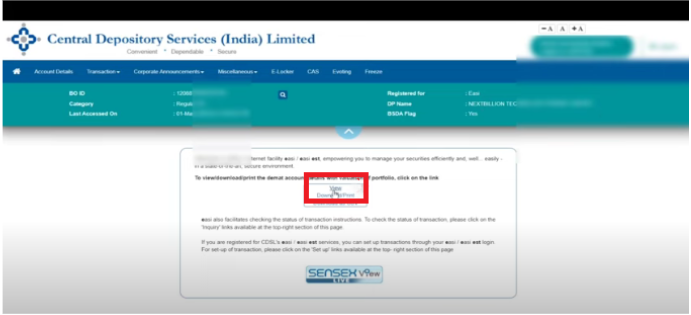
View Holdings: After successfully logging in, your account information will be accessible, and you can simply click on the "View" option.
Now, you can easily and efficiently see the number of shares and the specific stocks in your account.
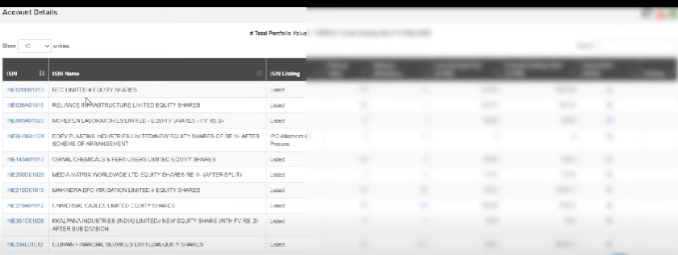
Method B
Login to Your CDSL Account: Visit the official CDSL website and log in to your CDSL account using your unique login credentials.
After successfully logging in, go to the transactions option.
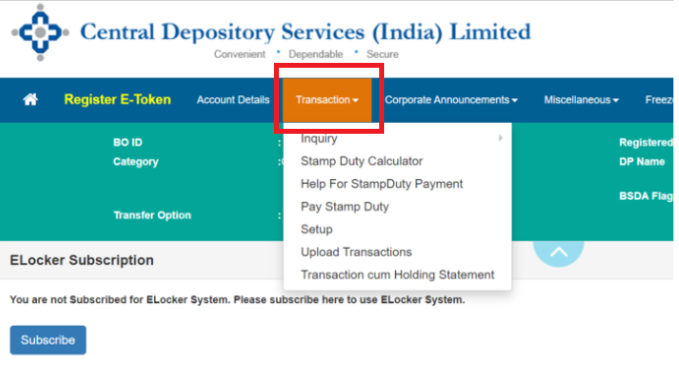
Select the "Transactions cum Holding Statement" option.
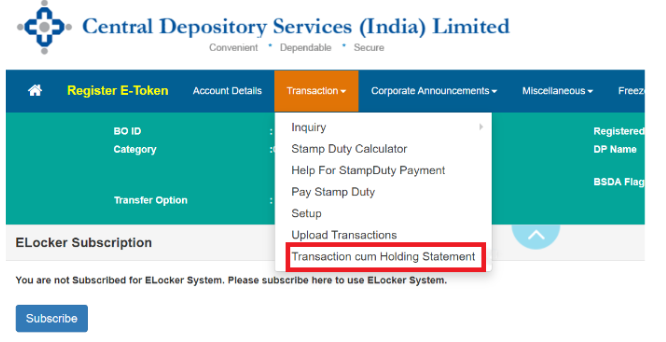
Choose the date for which you'd like to access your statement holdings.
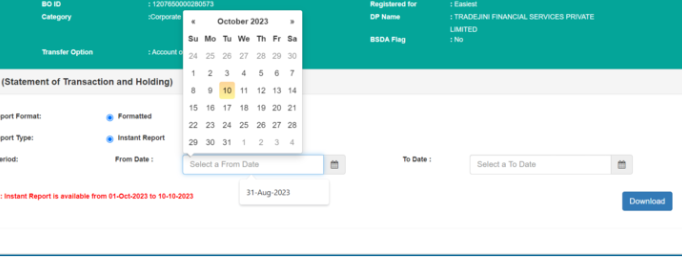
After this, you can successfully see your shareholdings for the date you selected.
Now that we know how to check your shareholdings in the CDSL Account, brace yourselves for today's jargon: "Market Trend." But hold onto your hats because we're not venturing into our everyday fashion market trends – we've got something far more exhilarating in store!
Then, what’s a Market trend in the world of unlisted shares?
Market trend in the share market refers to the overall direction in which stock prices are moving, whether they are going up (bullish), down (bearish), or staying relatively stable (sideways).