Upgrading from CDSL Easi to CDSL Easiest is a seamless process. Follow these steps to make the transition and access more features for managing your investments.
Just a few simple steps to follow.
Step 1. Access CDSL easi by going to the CDSL Website and log in to your Myeasi account. 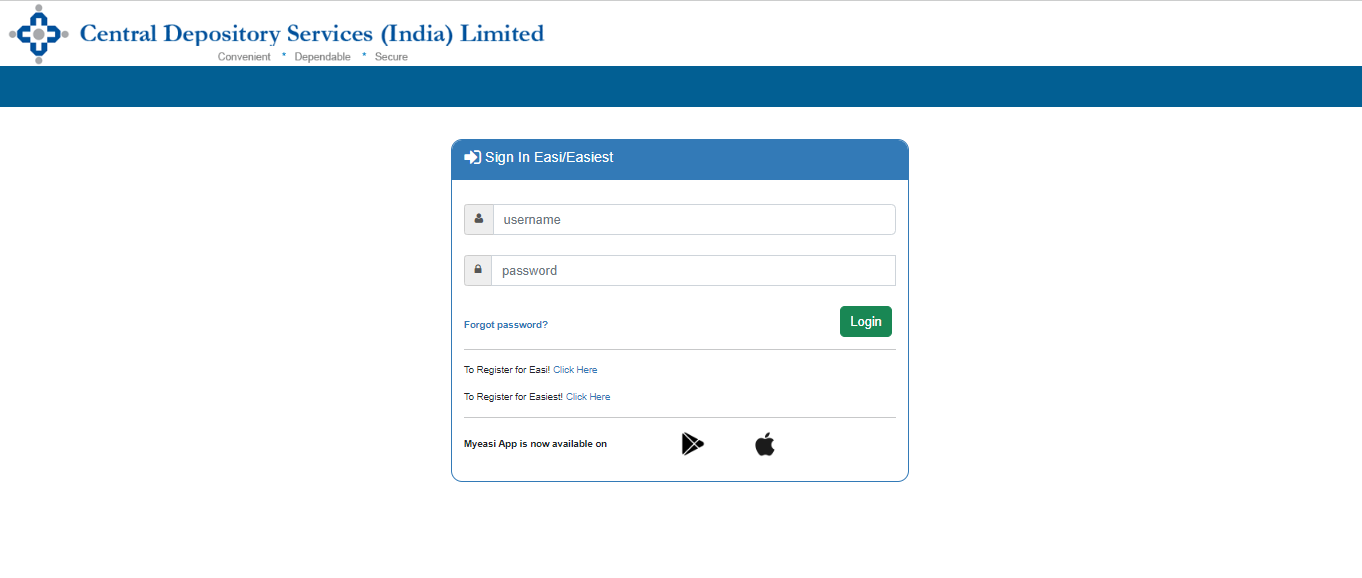
*For those who have not registered for CDSL Easi, see “How to register for CDSL Easi?”
Step 2. Select "Miscellaneous" and then choose "Upgrade BO ID to Easiest."
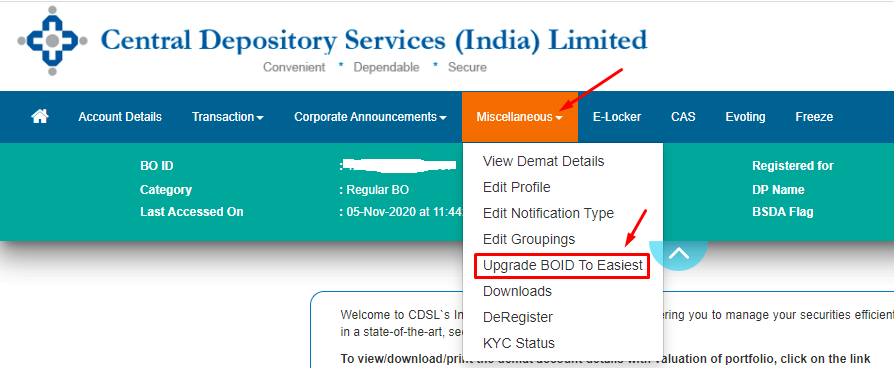
Step 3. Choose "Trusted account (PIN)" as the Account Type, agree to the terms and conditions, and click "Submit."
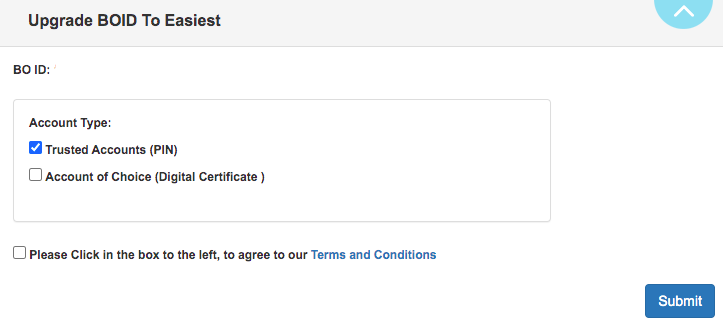
Step 4. Enter the trusted BO ID [Buyers BOID] of the demat account you're transferring the securities to, and then click 'Submit.'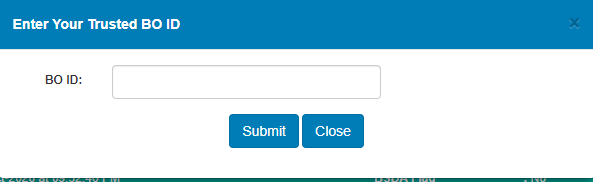
Once your demat broker authenticates it, the BO ID will be instantly activated for Easiest.
*Note: It takes 24 to 48 business hours for your demat broker to authenticate.