We all know that there have been many cases related to fraud on UPI service offering platforms. Cases like this have been reported since the inception of an environment that facilitates transacting digitally.
Something of the same sort happened in the Indian stock market as well. That
‘something’ is formally known as ‘Dematerialisation,’ which kicked off in India in 1991.
Now, what is dematerialization first? Dematerialization is how physically held share certificates are converted into digital ones. As the souls have transmigrated from a physical share certificate to a digital share certificate, the storage space must also be changed from an Almira. So, where do we store such digital share certificates?
We do it in a DEMAT Account!
Okay! Everyone reading this has checked their bank balance at least once in their life through various UPI applications.
But did you open your account with PhonePe or Google Pay? No, right!
How can you check your account balance through them? Is it some kind of a magic trick? Absolutely no! We can check various aspects of our bank account through these apps because we have voluntarily linked our bank accounts with these facilitators. We don’t actually have our bank accounts with them.
Back to the stock market now.
If you are into investing or trading, you will know that you can check your holdings through brokerage firms like Zerodha, Angel One, Groww, and many others. Does this mean you have your Demat accounts with them in particular?
Nay! In view of the fact that your DEMAT account is similar to a bank account. The only difference is that the former holds digital share certificates and the latter stores money.
Keeping the same view, brokerage firms like Zerodha, Angel One, and Groww are similar to PhonePe or Google Pay applications. These are just the facilitators where the former allows you to check holdings under your DEMAT account and lets you transact digitally by UPI.
Now, the question of paramount importance is, “Where your DEMAT account is created.”
Depositories, my friends!
What are depositories?
Typically, as the name suggests, a depository is a place where things are deposited or stored. However, in the context of stock markets, a depository is an organization/ bank/ institution that holds securities like stocks, or you can refer to it as a place where your DEMAT account exists in reality.
What are the two depository institutions in India?
CDSL - Central Depositories Services India Ltd.
NSDL - National Securities Depository Ltd.
Difference between NSDL & CDSL.
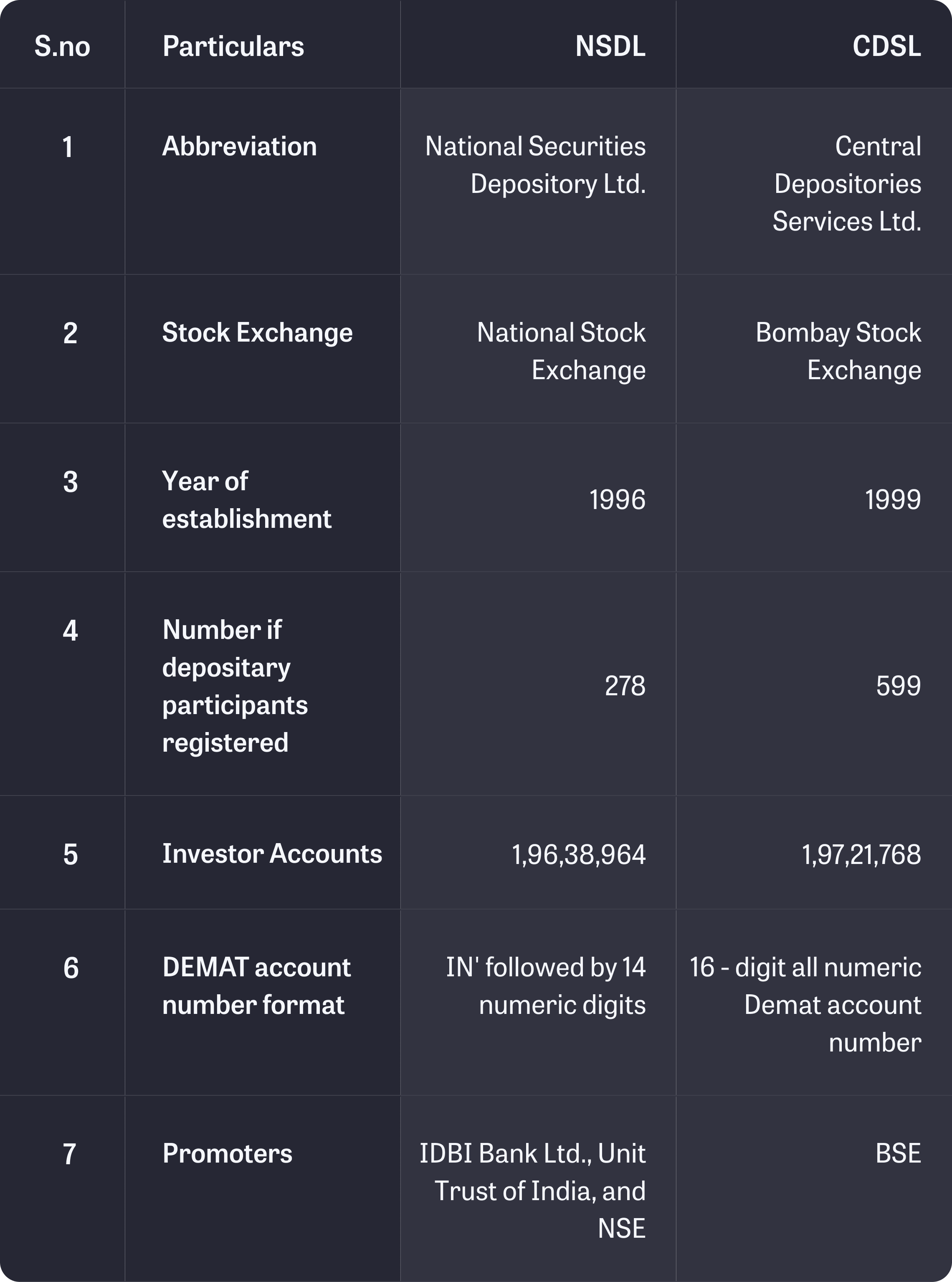
Services offered by NSDL and CDSL include:
Managing Demat accounts
Handling re-materialization and dematerialization of securities
Facilitating trade settlements
Assisting with share transfers
Managing both market and off-market transfers
Distributing non-cash corporate actions
Managing nomination and transmission of securities
Assisting in account opening
Providing account statements
Supporting changes to account details
Navigating through CSDL.
Step 1: Search CSDL on Google.
Step 2: Log in to the ‘Easi’ Account. 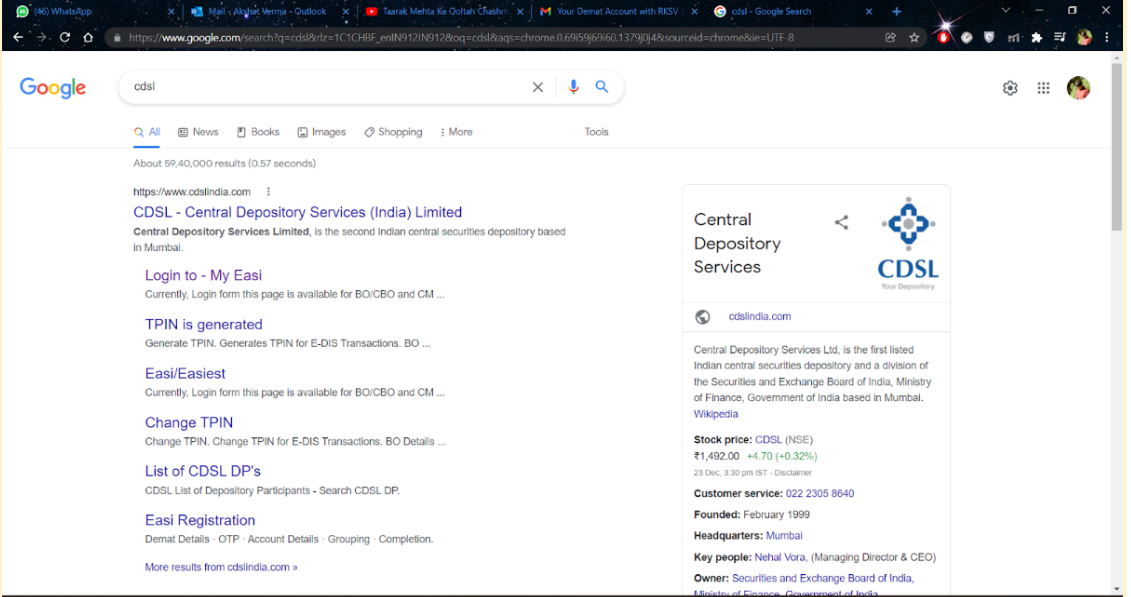
Step 3: Click on ‘To register for Easi! Click here.
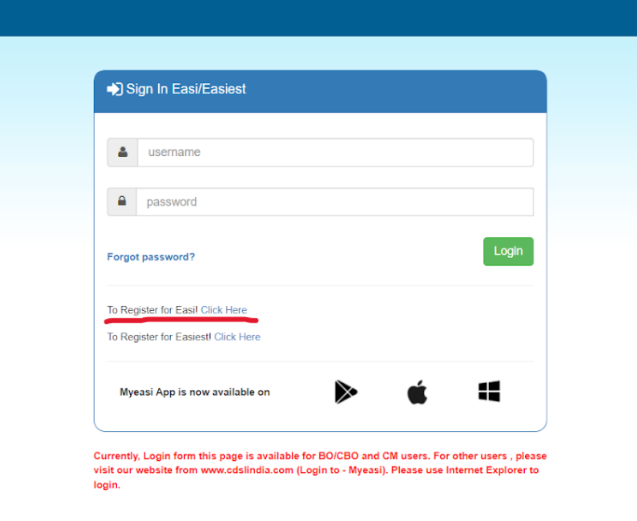
Step 4: Enter the required details on ‘Easi Registration. ’ 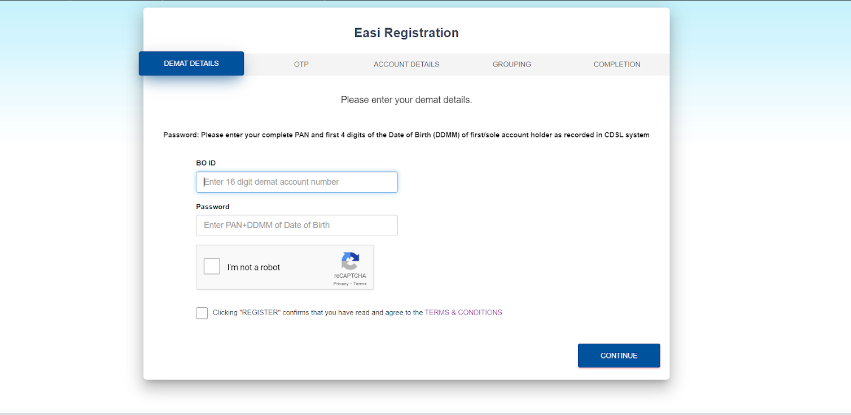
Step 5: Enter the OTP received on your registered mobile number.
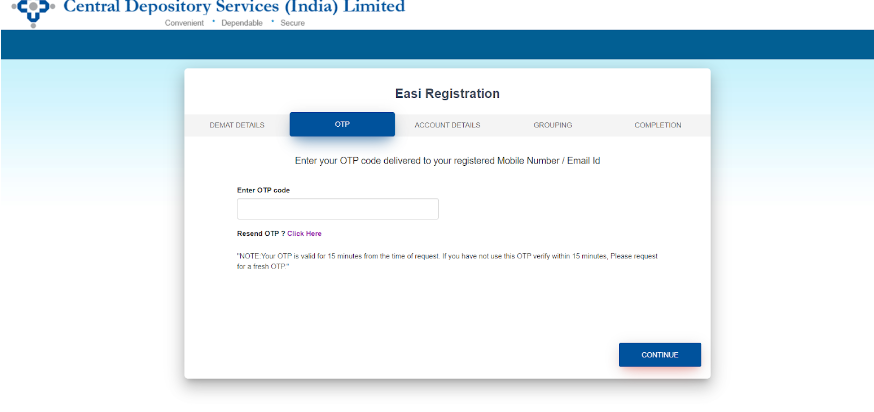
Step 6: Check your account details & enter the required details.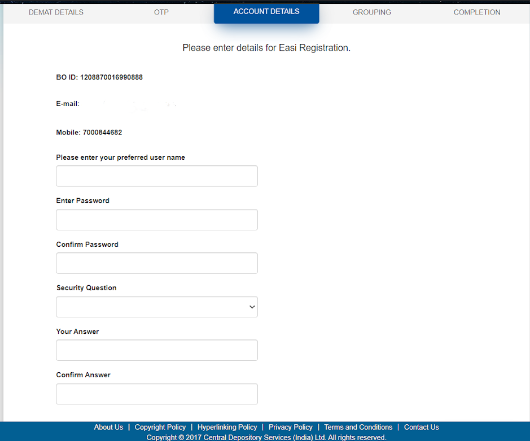
Step 7: Group BO ID by checking the boxes.
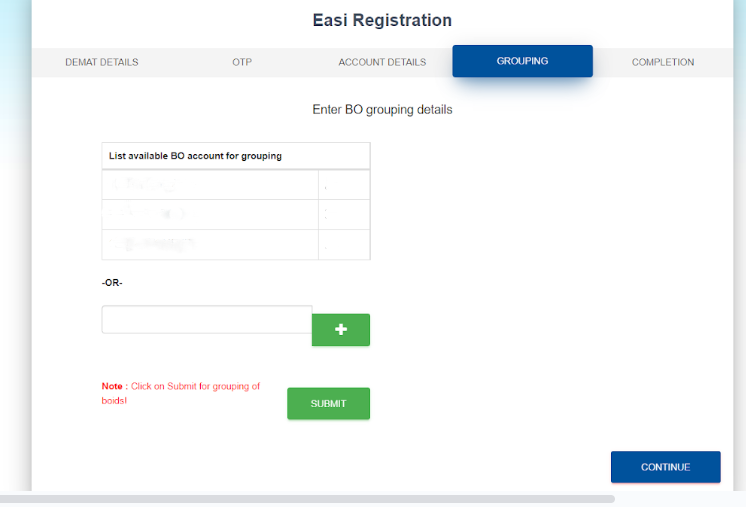
Step 8: Completion of ‘Easi Registration.’
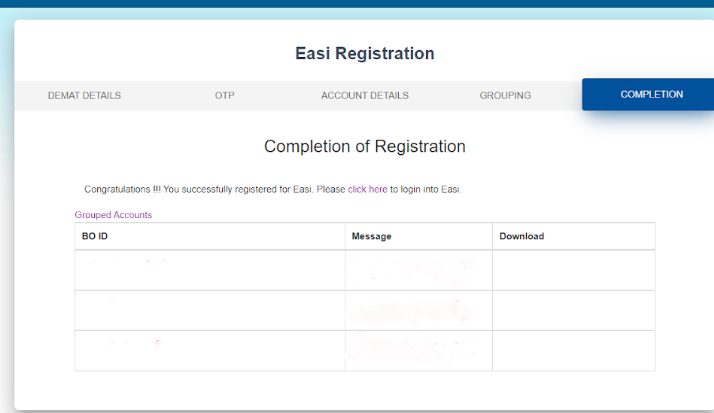
Step 9: Click on ‘Click Here’ to log in on the same page.
Step 10: Enter your ‘Username’ and ‘Password.’
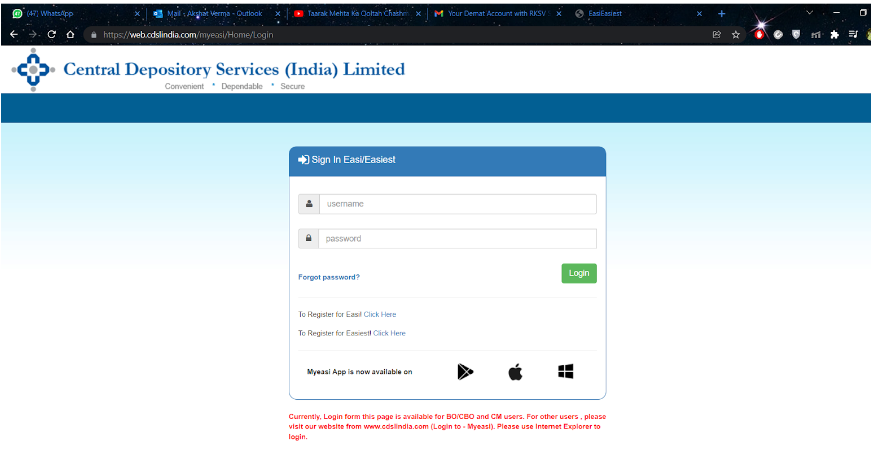
Step 11: A message pops up saying ‘Invalid Password.’ To proceed, click on ‘Forgot Password.
Step 12: Password Reset window appears. Select User Type as ‘BO’ and enter the ‘Login Name’.
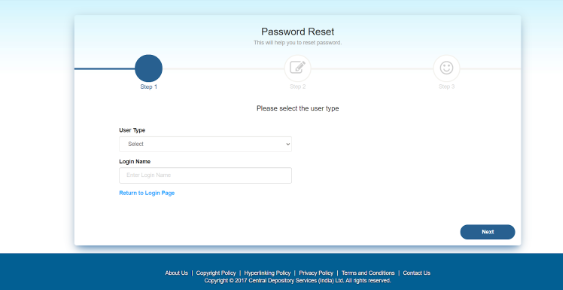
Step 13: Enter either of the following options.
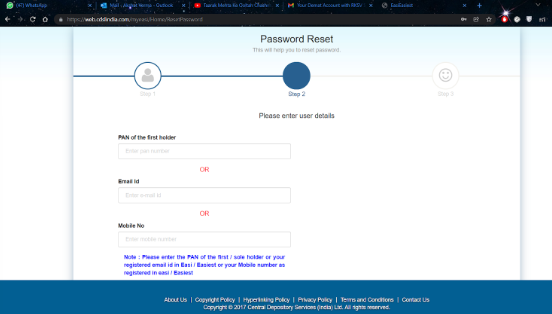
Step 14: Completion of the ‘Password Reset’ process.
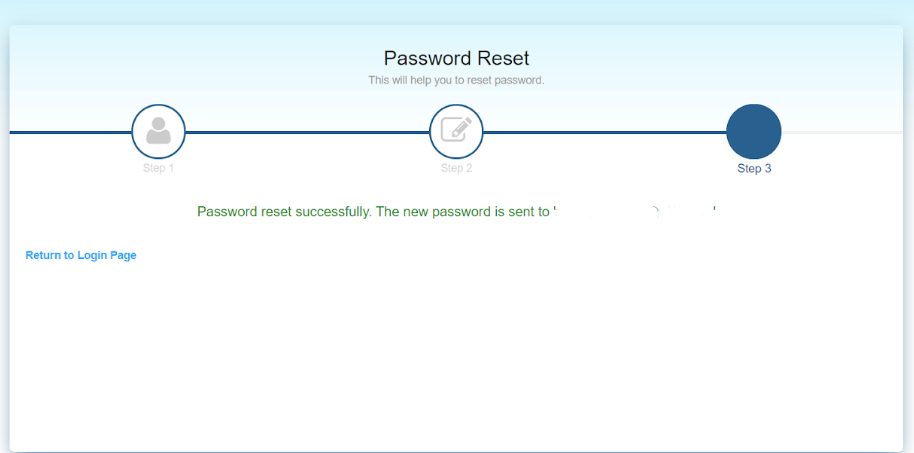
Step 15: Login Again with the temporary password you have received in your mail.
Step 16: Create a new password. The old password is the same as the temporary password.
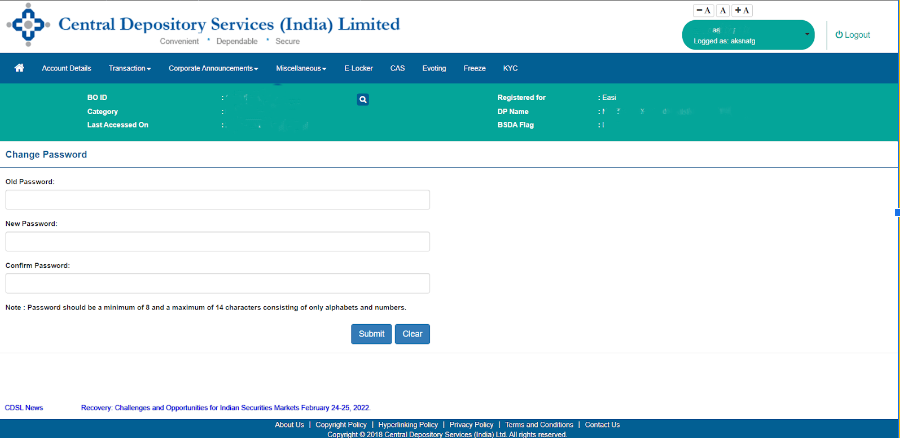
Step 17: Log in again with the same username and new password.
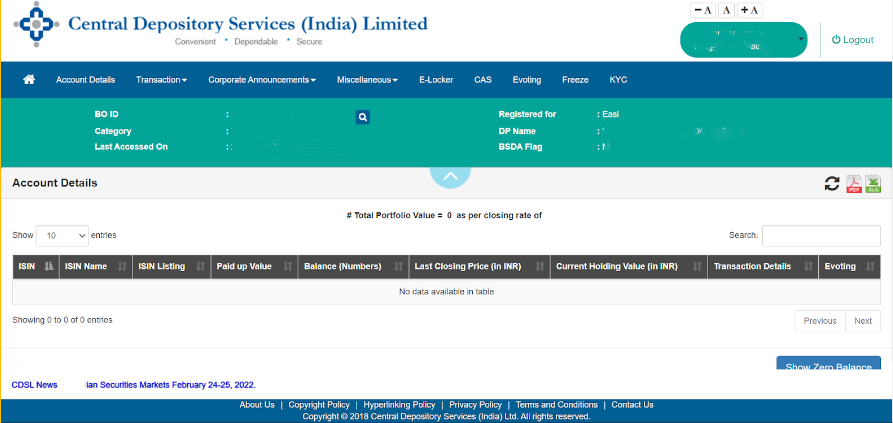
Step 18: Click on the ‘Account Detail’ section, which is present in the extreme left-hand corner.